dartnative_media_picker
Pick photos and videos two ways: the system picker — PHPickerViewController on iOS,
the Android Photo Picker (or the system document picker for video and mixed picks) — with
no permission prompt to manage, or the photo library itself when your app draws its own
picker. iOS and Android.
Two layers, two imports. dartnative_media_picker.dart is the system picker and needs no
photo permission. gallery.dart reads the library (albums, assets, thumbnails) and does.
Import only the first and your app inherits nothing from the second — this package declares
no permission of its own.
See it
| The demo | The system picker | Photo Library (custom UI) |
|---|---|---|
 |
 |
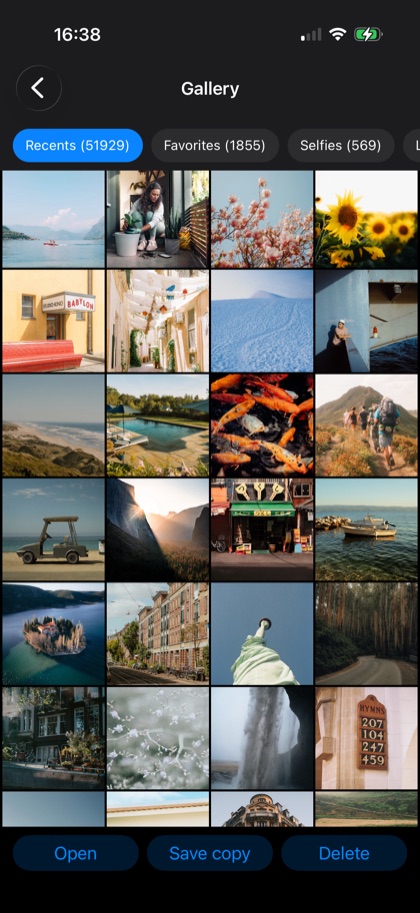 |
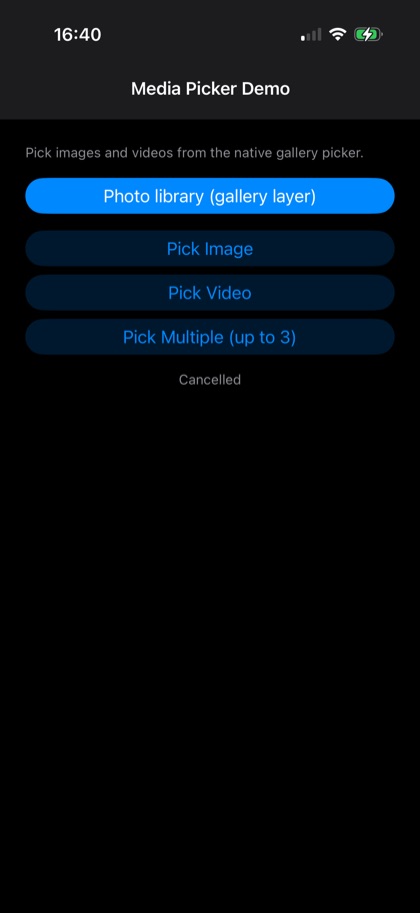
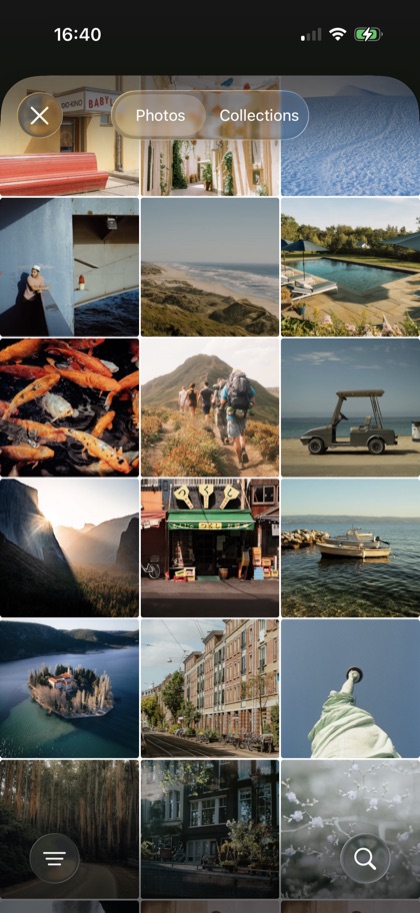
The example app, then the two layers it drives: the system picker, which
needs no photo permission, and the photo library read through gallery.dart,
here showing albums and a library of more than fifty thousand photos.
Why you'll like it
- The modern system picker —
PHPicker(iOS 14+) /PickVisualMedia(Android images; video and mixed picks use the system document picker), so on modern OSes there's no photo-library permission to request either way. - Single or multi-select — cap the count, or allow unlimited.
- Images, videos, or both — one call, typed results.
Highlights
showMediaPicker({type, maxSelection})→Future<List<MediaFile>>.MediaPickerType—images/videos/imagesAndVideos.MediaFile—path(copied to a temp dir),name,type("image"/"video").MediaGallery(fromgallery.dart) —albums(),assets(),thumbnail(),file(),save(),delete()andpermission(), for building your own picker screen.
Install
dependencies:
  dartnative_media_picker: ^1.1.0   # from dartpub.dev
dn pub get
void main() {
  DartNativePluginRegistrant.registerAll();
  runApp(const MyApp());
}
Quick look
import 'package:dartnative_media_picker/dartnative_media_picker.dart';
Pick up to five images or videos:
final files = await showMediaPicker(
  type: MediaPickerType.imagesAndVideos,
  maxSelection: 5,
);

for (final f in files) {
  print('${f.type}: ${f.path}');
}
(Returns an empty list if the user cancels.)
Building your own picker
When the system picker's look is not the one you want — a grid inside your own sheet, your
own selection badges — read the library directly. The pixels stay native: thumbnails come
back as file paths, so Image.file decodes them at display size and nothing large crosses
into Dart.
import 'package:dartnative_media_picker/gallery.dart';

final status = await MediaGallery.permission(request: true);
if (status == GalleryPermission.granted || status == GalleryPermission.limited) {
  final assets = await MediaGallery.assets(limit: 60);          // newest first
  final path = await MediaGallery.thumbnail(assets.first.id);   // a file to show
  final full = await MediaGallery.file(assets.first.id);        // only for what is chosen
}
assets() pages (offset, limit) because a library of forty thousand photos is ordinary
and a grid shows a screenful. albums() returns the all-album first, then the rest, each
with its count. file() copies the original where your app can read it, pulling it down
from iCloud first if that is where it lives — so call it for what the user picked, not for
the grid.
GalleryPermission.limited means the user shared some photos instead of the whole library
— iOS calls this Selected Photos, and Android 14 works the same way. Treat it as a yes:
every call still works, you just see the photos they picked.
Writing works the same way:
final id = await MediaGallery.save('/tmp/edit.jpg', albumName: 'My App');
final gone = await MediaGallery.delete([id]);   // [] if the user declines
save() files the photo under a named album, creating it when missing, and returns the new
asset's id. delete() returns the ids that actually went: both platforms put their own
confirmation in front of a deletion, and saying no is an answer rather than an error.
Platform setup
iOS
No native setup required for the system picker on iOS 14+ (PHPicker doesn't prompt). The
gallery layer needs a photo-library usage string in ios/Runner/Info.plist, and so does the
iOS 13 picker fallback (UIImagePickerController). MediaGallery.save() needs the add-only
string instead, which is the smaller ask — add just that one if the app only saves:
<key>NSPhotoLibraryUsageDescription</key>
<string>Pick photos and videos to use in the app.</string>
<key>NSPhotoLibraryAddUsageDescription</key>
<string>Save photos and videos you create in the app.</string>
Android
No native setup required for the system picker — it uses the system Photo Picker.
The gallery layer needs the read permission in your app's manifest. The plugin declares none of its own, so apps that only pick are never asked for photo access:
<uses-permission android:name="android.permission.READ_MEDIA_IMAGES" />
<uses-permission android:name="android.permission.READ_MEDIA_VIDEO" />
<uses-permission android:name="android.permission.READ_EXTERNAL_STORAGE"
    android:maxSdkVersion="32" />
MediaGallery.permission(request: true) then shows the system dialog. Without the manifest
entries the gallery calls throw a MediaGalleryException naming what is missing.
MediaGallery.save() needs nothing from API 29 up. Below that it writes the file itself, so
add WRITE_EXTERNAL_STORAGE with android:maxSdkVersion="28" if you still support those
devices.
Example
The example/ app picks media and shows the results — borrow from it freely.
Credits & license
Adapted from Flutter's
image_picker
(image_picker_ios / image_picker_android, BSD-3-Clause) and
photo_manager
(Apache-2.0, by way of a private Presence Network Inc. fork), reworked to run
natively on DartNative.
First-party DartNative plugin, free to use in any DartNative app. Distributed through dartpub.dev; report issues on the plugin's page.